


Altitude+
3.5396.00 Reviews
App Specs
- Version
- Varies with Device
- Updated On
- License
- Free
- Downloads
- 10,000+
- Developer
- Altitude Sports & Entertainment, LLC
- Categories
- Sports
- Platform
- Android
Screenshots
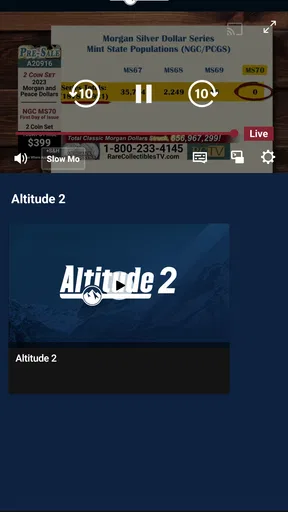


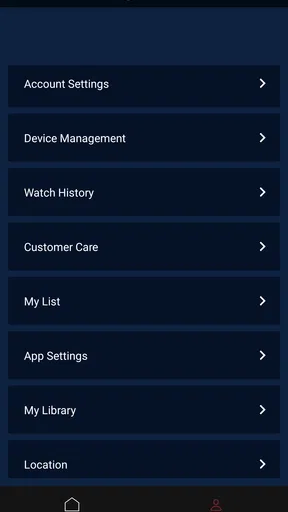

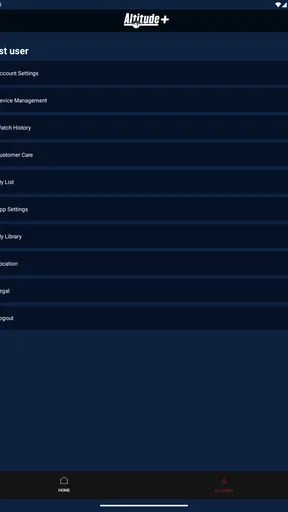
 Analysis by AppCompare
I look at Altitude+ as a focused choice for people who already follow Altitude Sports, rather than as a general-purpose sports destination. That distinction matters: if you want a place to stream the coverage connected with this sports brand, it may suit your routine; if you expect a broad mix of leagues and teams, another sports service may be a better fit. I would decide based on what you actually watch, how often you want to watch it, and whether a dedicated streaming app is worth adding to your phone.
Start with the kind of sports viewing you want
Altitude+ is a sports app from Altitude Sports & Entertainment, LLC, and its role is to bring that outlet’s streaming experience to mobile devices. I would not treat it as a sports game or a general score-tracking tool: its appeal is tied to watching sports content, so the first question is whether Altitude Sports is already part of what you seek out. A specialist service can feel more relevant than a broad platform when its coverage matches your interests, but it has less value if you mostly follow events elsewhere.
The app is free to install, but that does not mean every part of using it is necessarily free. It offers in-app purchases listed from $19.95 to $199.99 per item, so I would check the purchase details carefully before committing. Those figures describe a wide range, and the sensible move is to confirm what a particular purchase covers, whether it suits your viewing plans, and whether it fits your budget before paying. The key practical question is not simply “Can I download it for free?” but “Will I use the content enough to justify the option I choose?”
Where a dedicated Altitude service makes sense
Altitude+ makes most sense for someone who already wants Altitude Sports content and would rather have a direct place to access it than repeatedly search through unrelated apps. For a fan settling in to watch after work, keeping a dedicated sports app on the home screen can make the routine easier: open it, check what is available, and decide whether there is something worth watching. I find that kind of focused setup useful when a service has a clear place in my regular viewing habits.
There is also a useful distinction between a streaming destination and a companion app. If your main goal is live or on-demand viewing connected with Altitude Sports, this is the option to investigate. If your main goal is checking scores while you are away from a screen, keeping up with many teams, or following sports coverage from several outlets, a results app or a broader sports platform may be more convenient. Choosing the right category of app can save you from installing something that does not solve your actual problem.
Taking Flight with Altitude+
When I first opened Altitude+, I was greeted by an interface that’s as sleek as a freshly waxed airplane. The developers have put a lot of thought into making the app visually appealing without overwhelming you with too many options. Everything is intuitively laid out, which is a big win for those of us who aren’t tech wizards.
The app’s main draw is its flight simulation feature, which is like having a mini cockpit in your pocket. You start off with a basic plane, and as you progress, you get to unlock more advanced aircraft. The controls are pretty straightforward, but mastering them is no small feat. It’s all about finding that sweet spot between speed and altitude, which, let me tell you, is easier said than done!
Worth Reading Before You Choose

Flipboard Shows What News Apps Must Do Beyond the Feed

Switching to Android Auto Means Rethinking Your Driving Routine

Google Calendar Makes a Crowded Week Easier to Manage

Ludo King Makes the Most of the Minutes Between Plans

Baby Panda World Brings Quick Play to Modern Phones, but Its Game Library Feels Busy

ESPN’s Live Game View Makes Following Close Games Easier
Features That Soar
One thing that really impressed me is the variety of missions and challenges that Altitude+ offers. From basic takeoff and landing exercises to complex aerial maneuvers, there’s always something new to try. Each mission comes with its own set of objectives, and completing them earns you points which you can use to upgrade your planes or unlock new ones.
Now, let’s talk about the multiplayer mode. If you’ve got a competitive streak, this is where you’ll want to spend your time. You can challenge friends or random players around the world to see who’s the true king (or queen) of the skies. The leaderboard is updated in real-time, so there’s always a chance to climb to the top.
Another cool feature is the weather effects. Flying through a storm or trying to maintain altitude in heavy winds adds a layer of realism that’s both challenging and thrilling. It’s these little touches that make each flight session unique and keep you coming back for more.
Gaining Altitude
If you’re wondering about the learning curve, I’d say it’s pretty balanced. The app offers a tutorial that helps you get the hang of things without holding your hand for too long. Plus, there’s a helpful community within the app where you can share tips and tricks or ask for advice—because let’s be real, everyone needs a little help every now and then.
In terms of performance, I’ve got to give a shout-out to the developers. The app runs smoothly on both Android and iOS, with minimal lag or glitches. Of course, your experience might vary depending on your device, but overall, it’s a seamless ride.
Final Thoughts
So, is Altitude+ worth the hype? I’d say a resounding yes. It’s not just a game; it’s an experience that offers a perfect blend of fun and challenge. Whether you’re a casual gamer looking to kill some time or a hardcore aviation enthusiast, there’s something here for you.
In a world where many apps seem to replicate each other, Altitude+ stands out by offering something genuinely refreshing. So, if you’ve ever dreamed of flying high, grab your phone, download the app, and take to the skies. Trust me, you won’t regret it!
What to check before making it your regular viewing app
For an everyday decision, I would think about where and when I watch, not just whether I am a sports fan. If I usually sit down at home and want Altitude Sports streaming on my phone, this app has a clear purpose. If I tend to watch on a television, I would first decide whether mobile access is useful enough to keep alongside whatever screen setup I already use. Installing it does not automatically make it the best viewing route for every situation.
A realistic use case is a fan who has a few minutes before leaving home and wants to see whether there is something relevant to watch later. I would open the app when I have a reliable connection, browse what is available, and make a viewing plan before the evening rather than assume I can sort everything out at the last minute. That small habit helps separate a service I will genuinely use from one that only takes up space on my phone.
One practical trade-off with a dedicated streaming app is focus versus breadth. A specialist service can reduce the clutter of a large all-sports interface when I am looking for its particular coverage. In return, it may not replace the apps I use for other teams, leagues, headlines, or quick score checks. I would keep the roles distinct: use Altitude+ for the content it is intended to deliver, and use a broader sports destination when I need a wider view.
Where other sports apps can be the better choice
If I follow several sports and mainly want scores, schedules, alerts, and concise updates, I would choose a dedicated scores app or a broad sports platform first. Those alternatives are designed around keeping track of many events, while a streaming service is more useful when watching is the point. For someone whose viewing is centered on Altitude Sports, that specialization can be a strength; for someone who wants one app to cover all their sports interests, it can feel narrow.
I would also compare it with whatever service I already use to watch sports before paying for anything. The relevant questions are whether the content I want is available through Altitude+, whether I would actually use a second service, and whether the purchase terms make sense for my habits. I would not assume that installing the app alone gives access to everything, nor would I treat an in-app purchase as worthwhile without reading its description first.
People who rarely stream sports on a phone may be better off skipping it for now. The same goes for someone who only wants notifications or a quick score during a commute: a streaming-centered app may involve more browsing than that simple task requires. On the other hand, if watching Altitude Sports content is already part of your routine, having its app ready on your device is a more direct fit than relying on a general sports news tool.
Making the first session more useful
My advice is to approach the first session as a test of fit, not as a commitment. Install the app, look through the available viewing experience, and see whether its organization makes it easy to find the kind of sports content you came for. Then consider how often you would return in a normal week. A focused app earns its place when it makes a repeated task simpler, not merely because its name is familiar.
Before using it away from home, I would also think about connection quality and data use. Streaming can be less convenient when your connection is unreliable or when you are trying to conserve mobile data, so a home Wi-Fi session is a sensible way to get comfortable with the app. I would avoid planning an important viewing moment around an unfamiliar setup; checking the app in advance leaves time to work out whether it fits your device and routine.
The published average rating is 3.9 from around 700 ratings, with more than 300 written reviews and over 10,000 installs. I see that as a reason to read recent user feedback with a specific question in mind—such as how well the app works on a device like yours—rather than treating an average as a guarantee. Experiences with streaming apps can depend on the person’s device, connection, and expectations, so comments that match your own use case are more useful than a general verdict.
Price, age suitability, and the commitment involved
The app is free to download and is rated for Everyone, which makes it accessible to a broad audience. Still, anyone deciding whether to spend should separate the free installation from the optional purchases. The listed purchase range is broad, so I would inspect the exact item and its terms before confirming anything, especially if a family member might use the same device. That is a simple way to avoid confusing access to the app with the cost of a particular offering.
Altitude+ was released on October 17, 2024. That makes it a relatively recent arrival in the app space, but the date alone does not tell me whether it will suit a particular phone or viewing pattern. I would judge it by the practical basics: whether I can find the content I want, whether playback fits my connection and device, and whether the app is worth returning to. The developer, Altitude Sports & Entertainment, LLC, gives the service a direct connection to the sports brand it represents, which is relevant if that is the coverage I already seek.
For households, I would make the purchase decision with the people who will actually watch, rather than assuming that one person’s interest makes the app useful to everyone. A family member looking for other sports coverage may still prefer a broader service, while someone who follows Altitude Sports may value this dedicated option. The Everyone age rating is helpful context, but it does not change the need to review any purchase carefully and make sure the content and spending choice are suitable for the household.
My recommendation depends on your viewing habits
I would recommend trying Altitude+ if you specifically want a mobile route to Altitude Sports streaming and expect to use it regularly. Its strongest case is not that it must replace every sports app, but that a dedicated destination can be convenient when its coverage is already part of your life. Give it a first look, test it in the place you normally watch, and decide from that experience whether it deserves a permanent spot on your home screen.
If your priority is broad sports coverage, fast score checks, or keeping up with teams beyond Altitude Sports, I would choose a general sports app or a streaming option that better matches that wider need. I would also hold off on an in-app purchase until I had checked what it includes and knew I would use it. For the right fan, the app has a straightforward reason to exist; for everyone else, the best choice may be to stick with the sports tools they already rely on.
Pros
- User-friendly interface
- easy navigation.
- Real-time weather updates for pilots.
- Offline mode for remote areas.
- Customizable alerts and notifications.
- Integration with flight planning tools.
Cons
- Requires regular updates for accuracy.
- Subscription needed for premium features.
- Battery-intensive during continuous use.
- Limited support for older devices.
- May lag in areas with poor connectivity.
FAQs for Altitude+
What is Altitude+ and what features does it offer?
Altitude+ is a comprehensive navigation app designed for hikers, climbers, and outdoor enthusiasts. It provides real-time altitude readings, detailed topographical maps, weather updates, and route tracking. The app also includes social features allowing users to share their adventures and connect with other outdoor enthusiasts.
Is Altitude+ available for both Android and iOS devices?
Yes, Altitude+ is available on both Android and iOS platforms. You can download it from the Google Play Store for Android devices or the Apple App Store for iOS devices. Ensure your device meets the minimum system requirements for optimal performance and functionality.
Does Altitude+ require an internet connection to function?
While some features of Altitude+, like real-time weather updates, require an internet connection, the app also offers offline capabilities. Users can download maps for offline use, making it a reliable tool even when exploring remote areas without network coverage.
Are there any in-app purchases or subscriptions in Altitude+?
Altitude+ offers a free version with basic features, but it also includes optional in-app purchases and subscription plans. These provide access to advanced features, such as high-definition maps, exclusive routes, and additional customization options. Users can choose according to their needs and budget.
How does Altitude+ ensure data accuracy and user safety?
Altitude+ utilizes high-precision GPS technology and regularly updated map data to ensure accuracy. The app also offers safety features like emergency alerts and location sharing. Users are encouraged to keep the app updated and follow safety guidelines while using it for outdoor activities.


